Start here
Get the most out of TibiaOn in under five minutes. From sign-up to your first saved hunt, step by step.
Create your account
Free, no card, under 30 seconds.
An account is optional for the calculators. You only need it to save hunt history, use the dashboard, and set goals. All tools are free.
Go to tibiaon.com/account/register
Enter a username (your Tibia nick or any name), email, and password. Click “Create free account”.
Automatic login after sign-up
After creating your account you are redirected to the Dashboard. No email confirmation or waiting.
Add your character
TibiaOn supports Tibia Global, RubinOT, and DeusOT.
Open “Characters” in the sidebar
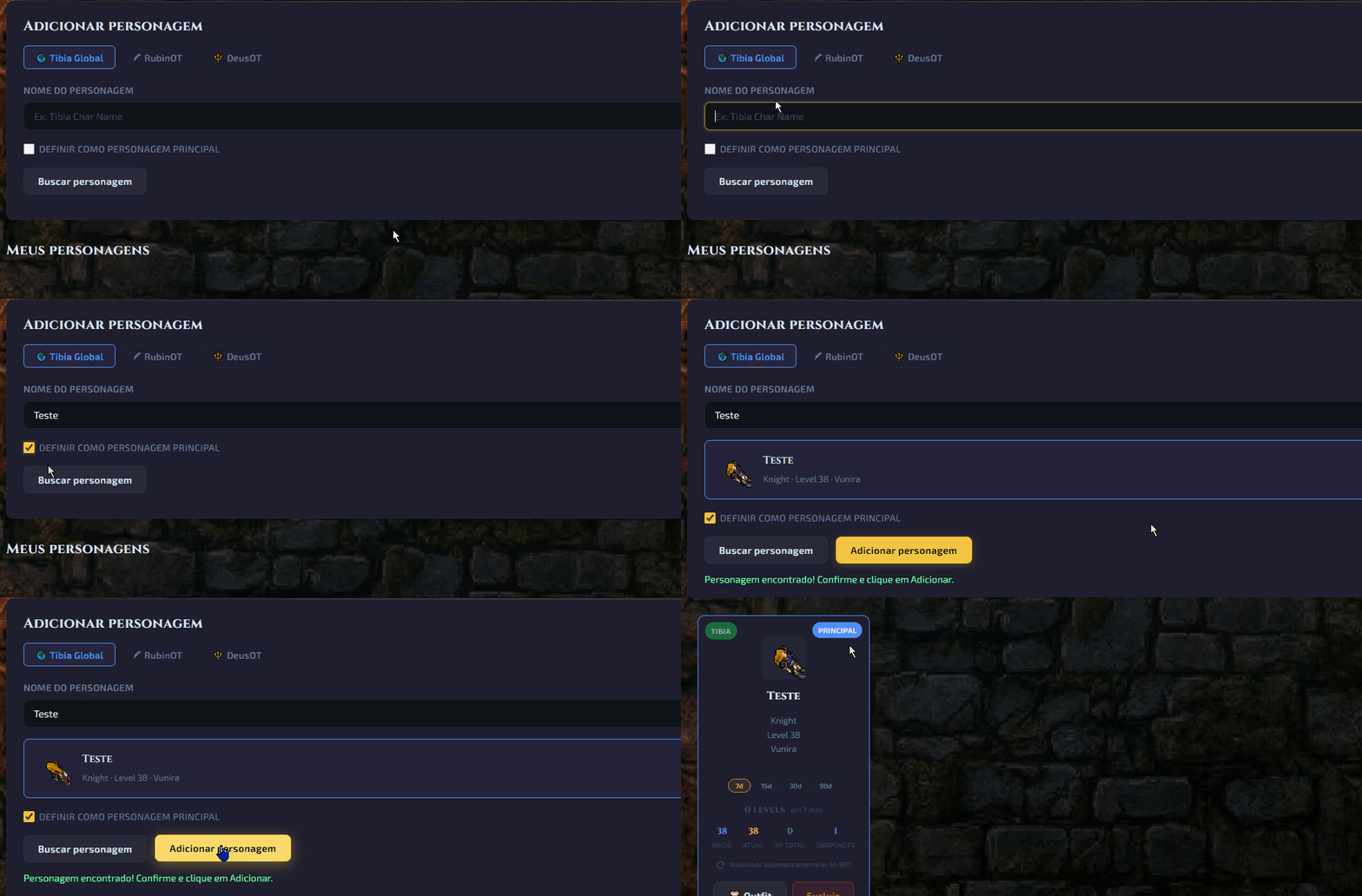
Click “Characters” in the side menu. You will see the add-character form.
Open CharactersTibia Global — automatic lookup
Select “Tibia Global”, type the character name exactly as in-game, pick the world, and click “Add”. Level and vocation sync automatically.
RubinOT / DeusOT — paste data manually
Select the OT server. Open your character page on the server site, copy the full text, and paste it into the field. The system extracts name, level, and vocation.
Save your first hunt
Import the Tibia Hunt Analyzer and save profit automatically.
The Hunt Analyzer is in Tibia under Battle List → Hunt Analyzer. Open it at the end of the hunt to capture the data.
1. Copy the Hunt Analyzer text
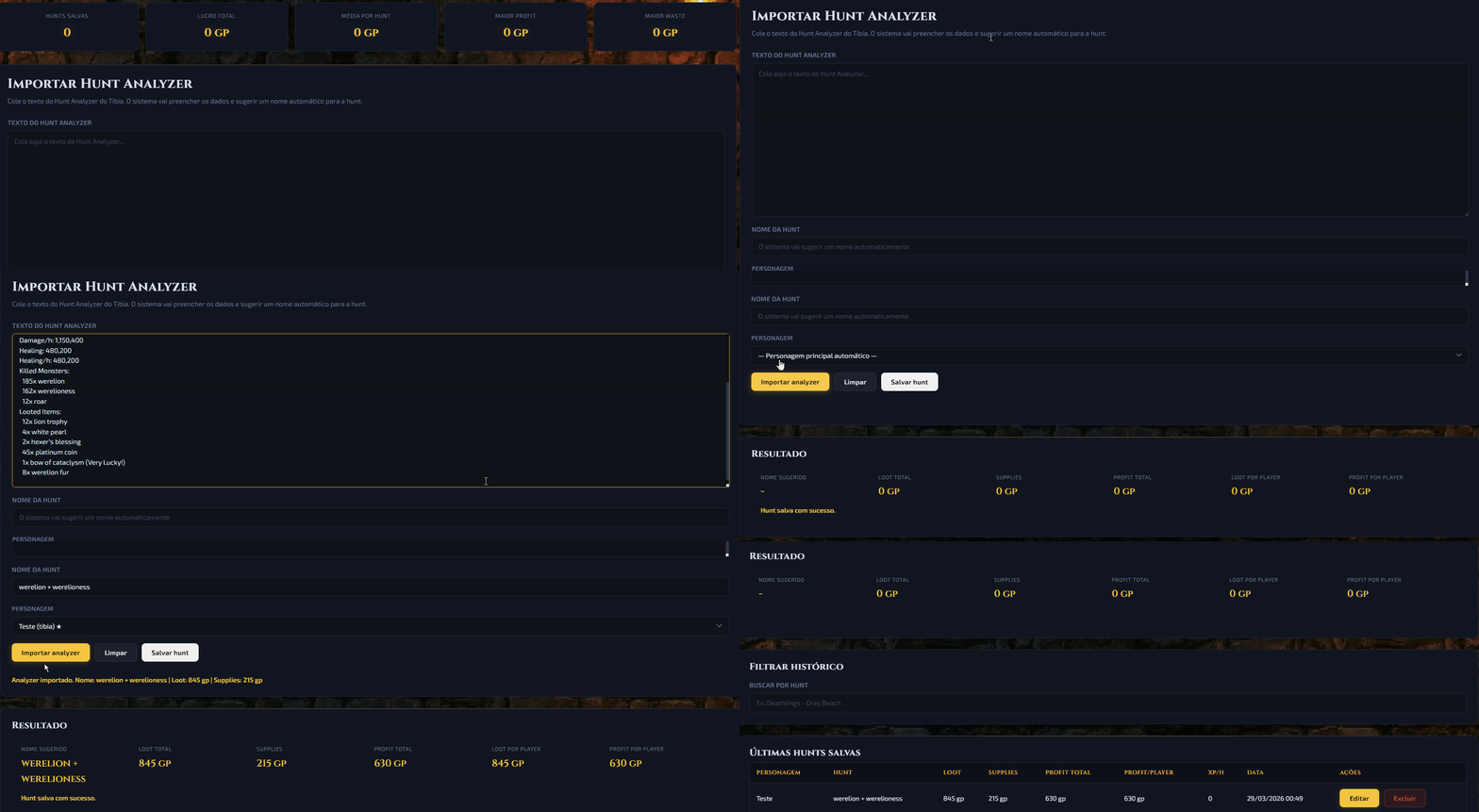
In Tibia, open the Hunt Analyzer, click inside the text area, and use Ctrl+A → Ctrl+C to copy everything.
2. Paste into Hunt Calculator
Go to “Hunt Calculator” in the sidebar, paste into the large field, and click “Import analyzer”. Loot, supplies, and profit are calculated automatically.
Open Hunt Calculator3. Name it and save
The system suggests a name from the creatures in the hunt. You can edit or accept. Pick the character and click “Save hunt”. It stays in your history.
Your Dashboard
Track character progress and profit over time.
Character overview
On the Dashboard you see current level, vocation, world, and the level progression chart. With multiple characters, use the switcher at the top.
View DashboardSet your target level
On the Dashboard click “Edit” near the target level. Set the level you want — the system estimates XP left using your hunt history.
Profit statistics
After you save several hunts, the “Statistics” page shows weekly profit, best spots, and most profitable creatures.
View Statistics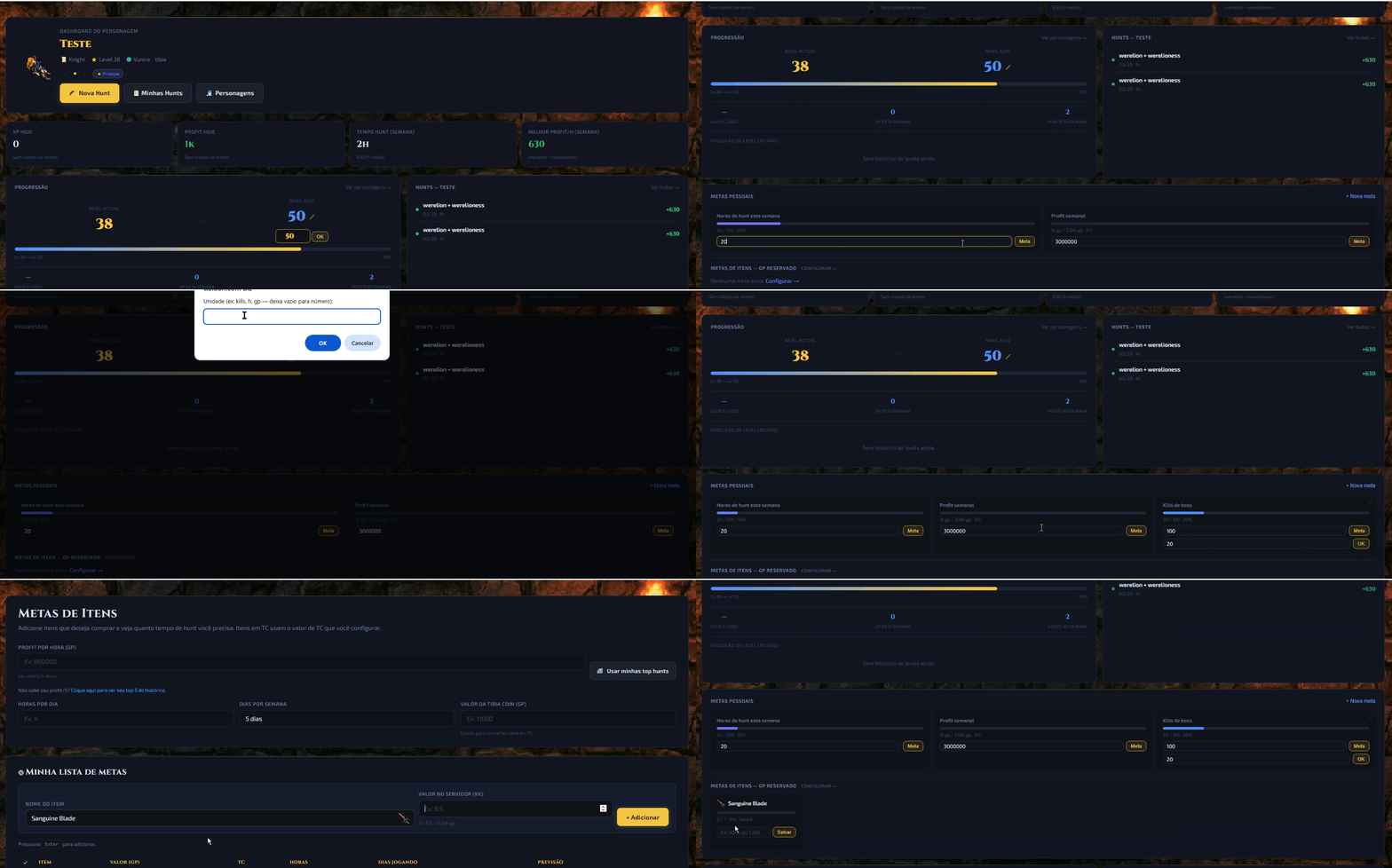
Free tools
No login. Use them in the browser while you play.
Ready to start?
Create your account in 30 seconds and start logging hunts today.